Learn how to use Interview Solver's Companion feature to let a friend provide real-time assistance during your technical interview—all without triggering cheat detection.
The Power of Teamwork in Technical Interviews
Technical interviews are stressful. Between managing your nerves, communicating your thought process, and solving complex problems on the spot, it's easy to feel overwhelmed. But what if you had a secret weapon—a friend who could silently feed you hints, solutions, and guidance in real-time?
That's exactly what Interview Solver's Companion Mode enables. While the AI Copilot already provides intelligent assistance, you can also share your session with a trusted friend who can follow along and provide human-powered support through the companion interface.
How Companion Mode Works for Friend Assistance
The Companion feature creates a live sync between your Interview Solver desktop app and any web browser. This means your friend can:
- See everything you see — All screen captures, problem descriptions, and AI-generated solutions sync in real-time
- Provide additional context — Your friend can research the problem, look up documentation, or verify solutions
- Offer human insight — Sometimes a friend who knows your strengths can guide you better than any AI
- Stay completely invisible — The entire interaction happens outside the monitored browser assessment
Setting Up Companion Mode for Your Friend
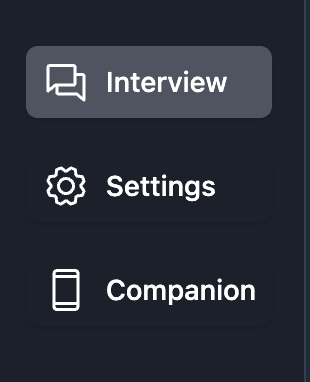
Step 1: Open Companion Mode
In your Interview Solver desktop app, click on the Companion button located in the bottom left corner of the screen.
Step 2: Share the Access Code with Your Friend
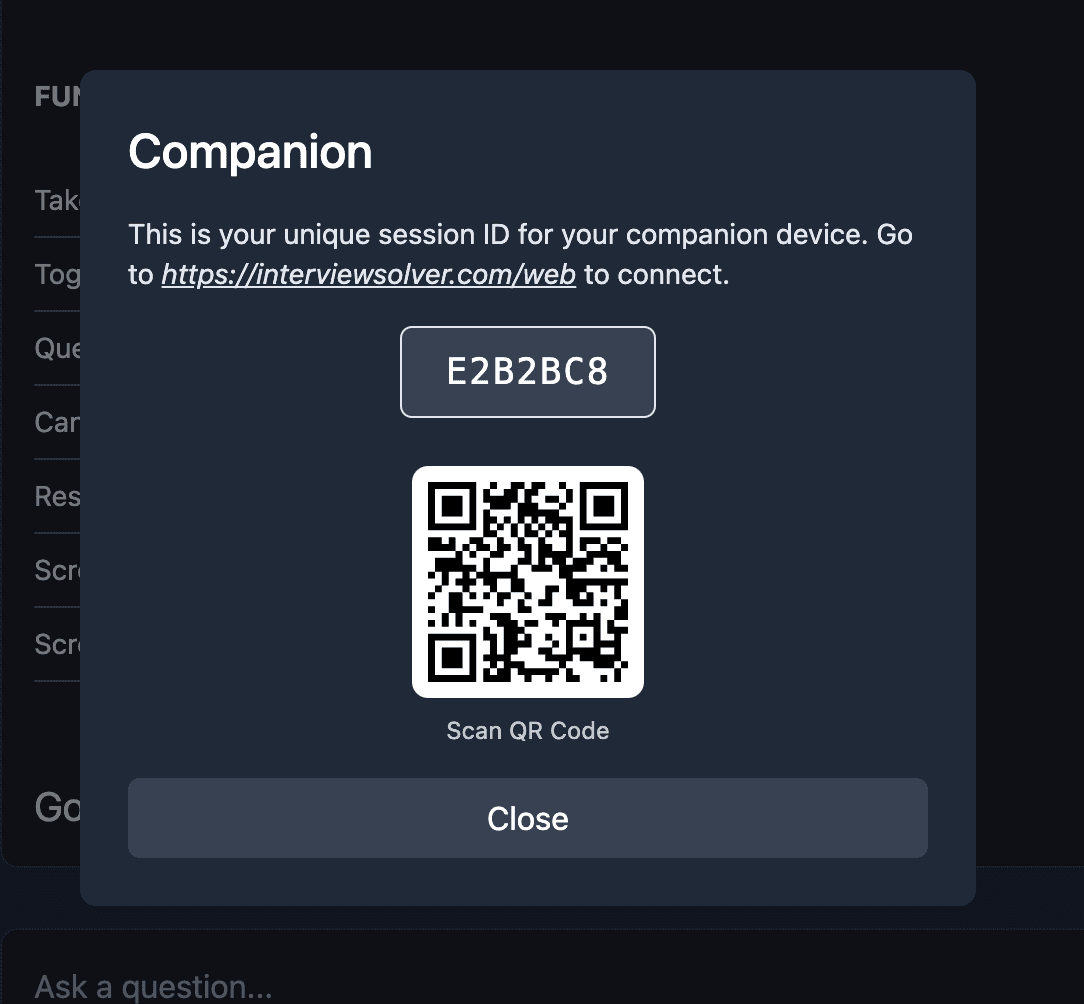
Once Companion Mode is open, you'll see a unique session code and a QR code. Share these with your friend:
- Option A: Have your friend navigate to https://interviewsolver.com/web and enter the session code
- Option B: Send them the QR code to scan with their phone or tablet for instant access
Step 3: Coordinate Before the Interview
Before your interview begins, make sure you and your friend are on the same page:
- Test the connection — Have your friend confirm they can see your session
- Establish communication — Set up a separate communication channel (phone call, Discord, etc.) so they can give you verbal hints if needed
- Define signals — Agree on cues like "let me think about this for a moment" to buy time while you check the companion interface
Step 4: Start Your Interview
Once the interview begins:
- Use the hotkeys (ctrl+esc on Mac, ctrl+1 on Windows) to capture your screen and send it to Interview Solver
- Your friend will see everything sync to their companion interface in real-time
- The AI will generate solutions, but your friend can also independently research and verify the approach
- Check your second device (phone, tablet, or hidden monitor) for updates from both the AI and your friend's annotations
Why This Approach Works
Complete Detection Immunity
Browser-based assessments can only detect activity within the browser itself. They cannot:
- See what's happening on your second monitor or device
- Detect global hotkeys registered at the OS level
- Know that someone else is viewing your session remotely
As long as you interact with Interview Solver only through its hotkeys and never tab away from your assessment window, the system has no way to detect any assistance.
HackerRank downloadable tool and hotkey logging
Some HackerRank interviews require a downloadable tool that can log hotkey usage on the interview computer. Local hotkeys alone leave a trail there. Companion remote controls fix that: your friend (or you, from a phone) can trigger screenshots, voice, and prompts from a separate device so those key presses never hit the monitored machine. Competitors that only offer local hotkeys do not have this option.
Real-Time Collaboration Without Interruption
Your friend doesn't need to be in the same room—or even the same country. They can:
- Watch your screen captures as you send them
- See the same AI-generated solutions you see
- Provide additional context or alternative approaches
- Research edge cases or specific syntax while you focus on communication
The Human + AI Advantage
While Interview Solver's AI is powerful, combining it with a knowledgeable friend creates an unbeatable team:
- AI excels at: Generating optimal algorithms, proper syntax, and complete solutions
- Friends excel at: Understanding your communication style, remembering concepts you struggle with, and providing encouragement
Pro Tips for Success
- Brief your friend beforehand — Give them context about the role, company, and types of problems you expect
- Practice the workflow — Do a mock session to get comfortable with the timing and coordination
- Keep your friend on mute — If you're on a voice call, have them mute unless speaking to avoid background noise
- Trust the AI first — The AI solutions are optimized and tested; use your friend as a backup and confidence booster
- Don't over-rely on either — Remember, you still need to explain and understand the solution
Common Scenarios
Scenario 1: You're Stuck on the Approach
You've been given a graph problem but can't figure out if it's BFS or DFS.
Your friend, watching the companion interface, can quickly research the problem pattern and whisper "It's a shortest path problem—go with BFS" while you pretend to think out loud.
Scenario 2: You Need Syntax Help
You know the algorithm but forgot how to implement a priority queue in Python.
The AI will provide the complete code, but your friend can also quickly Google and confirm import heapq usage, giving you confidence in the solution.
Scenario 3: Edge Case Verification
You've written a solution but aren't sure about edge cases.
Your friend can independently test the logic against examples while you continue explaining your approach to the interviewer.
Getting Started
Ready to turn your next interview into a team effort? Here's what you need:
- Download Interview Solver (Mac or Windows)
- Subscribe to get access to Companion Mode
- Recruit a trustworthy friend who knows their way around code
- Practice the workflow together before your real interview